







|
|

|
The Worldwide Brands Home EBiz Newsletter: "What An Internet Service Provider Really Is" Go Back to Newsletter Home Page
This Week's Radio Show News:
Air Date: Monday,
March 7,
2005:
Are you missing
FREE information that can help your business? If you're not
listening in on Internet Radio, you're missing out on a tremendous
source of absolutely FREE information on a huge range of EBiz and
other subjects! wsRadio.com President Chris Murch is with us
to discuss the concept of Internet Radio, and what it can do for
you!
Building Wealth Revisited!
Last week, we interviewed
This Week's Featured Newsletter Article:
"What An Internet Service
Provider Really Is"
by
Chris Malta
Understanding your "Lifeline to the
Internet" can help you improve your business.
(NOTE: This Newsletter is largely reprinted from
Chapter Nine of my EBook, "Understanding the Internet for Home Business")
I�ve been seeing a number of questions and issues
surrounding Internet Service Providers popping up in our Customer Service logs
lately, and thought this might be a good time to talk about them. This
Newsletter is largely reprinted from Chapter Nine of my EBook, "Understanding
the Internet for Home Business". Why write the same stuff twice, right? :o)
Let's talk about the all-important ISP, or Internet Service Provider.
Sure, we all know what an Internet Service
Provider does, but there is more to the story than their TV commercials are
telling you. So, we should go over just a few things. After all, we�re here to
understand the real story behind the TV commercials. :o)
Here are our topics for this little talk:
What an ISP is
Dial-up Connections
�Always-on� Connections
Satellite Connections
Rates and Reliability
Working while Traveling
Sound like fun? Maybe not, but it IS important.
:o)
An ISP provides the connection from your
home computer to the Internet.
AOL is an ISP. So are Roadrunner, Earthlink, and
many others. There are big ones, small ones, cheap ones, expensive one, green
ones, purple ones�you know the drill by now, right? :o)
Keep in mind that your ISP is the Portal through
which you access the Internet, and run your business. Without it, you have
no business.
Just like anything else on the Internet, there are
thousands of these companies who want your business. You�ll find Local
ISPs in your hometown phone book. You�ll find the National ones on TV. You�ll
find people who aren�t really ISPs at all; they�re just reselling
ISP Accounts for some other ISP.
You obviously have a connection to the Internet
now, or you could not be reading this Newsletter! The connection you have right
now might be good enough to run your business with, or it might not.
There are some things to consider, and we�ll talk about those in a minute. Let�s
review, though, just what an ISP is.
I have personally been inside the �Network
Centers� of more than one Internet Service Provider. There�s nothing magic going
on there. It�s not mysterious. There are no Techno-Wizards casting spells. It
doesn�t look anything like the �Bat-Cave�.
Internet Service Providers are simply rooms full
of computers. Those rooms could be in a shiny new office building, or in a
run-down waterfront warehouse (I�ve been inside ISPs in both those places!)
There are racks of Modems, Authorization Servers
and Email Servers. There are banks of phone lines coming in, and banks of data
lines going out. There are brightly colored Network Cables hanging haphazardly
all over everything. There are desks and chairs, and fuzzyheaded little plastic
Troll dolls sitting on top of computer screens. Coffeemakers, Soda Machines,
Snack Machines. Garbage cans and Office Supplies. Pictures of Employees� kids
adorn cubicle walls. Phones ring, and toilets flush.
I say all this because you have to learn not to
be intimidated by The Gatekeepers of the Internet.
An ISP can easily give you the impression that
they are Mystical Seats of Incredible Technology, and you should never question
anything they say. That�s not true. They are just offices full of people and
machines, nothing more. Their machines break, and their people make mistakes.
They are there to work for you, their
Customer. So, if you have questions, ask. If you have complaints,
complain. If you don�t like their Service, go somewhere else. Too
many times I�ve seen people get stuck with bad deals from Internet Service
Providers, because they believe it when those Providers tell them that things
only work their way, and no other. Always question Authority, folks,
especially where your business is concerned. These people are your Lifeline to
your business. If they screw up your Account, you can�t work. So, don�t let them
get away with screwing up!
There, that should deflate any over-inflated
impression you have about ISPs. :o) Now we�re ready to talk about the details.
An ISP simply connects you to the Internet.
Whether you use a Dial-up phone connection, or a faster Broadband Connection
(your TV cable), your starting point on your journey to the Internet is an ISP.
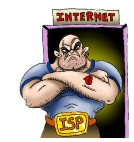
The ISP is the Gateway, the Doorway, the Entrance
to the Internet. It�s the Bouncer who checks your ID at the door, and lets you
into the Club (the Internet) if you�re qualified. It�s the place that assigns an
IP Address to your computer, and provides you with an Email Account on one of
their Email Servers.
From there, you simply use their high-speed
connection to the rest of the Internet to do all your Surfing.
There are two basic ways that most people connect
to an ISP. A phone line, where your computer �dials-up� a connection to
your ISP, and an �Always-on� connection, where your computer always is
connected to your ISP whether you are using it or not.
Dial-up Connections:
A Dial-up connection means that you are
only connected to your ISP when your computer actually dials their phone
number and talks to their Authorization Server.
If you use a Dial-up connection, your
computer has a �Modem� built into it (like almost every computer does). When
you tell your computer to connect to the Internet, you usually hear all those
beeping and skirling noises inside your computer. That�s your Modem, dialing a
number on your phone line, then saying, �Please let me into the Internet� to
the Authorization Server at your ISP.
Your Modem converts a Digital (data) Signal into
an Analogue (voice) Signal, so that your computer can �talk� to the Internet
over an Analogue (voice) phone line.
At your ISP�s office, there are other Modems
that answer the phone calls coming from your computer, and thousands of
other people�s computers. Those Modems convert your Modem�s Analogue Signal
back into a Digital Signal, so that the ISP�s computers can understand it. So,
through the Modems at either end, your computer talks directly to an
Authorization Server at the ISP, and asks to be let in to your Account.
The ISP�s Authorization Server checks to see if
your Account is paid up. If it is, the Authorization Server assigns an IP
Address to your computer, and you are connected to the Internet! Then, you can
go off and do all the Surfing you want, pick up your Email, etc.
When you�re done, and you want to �log off� the
Internet, you tell your computer that by clicking �Log Off� on your screen.
Every ISP has a different way for you to do that, and I�m sure you�re familiar
with how it�s done.
If you just walk away from your computer, and
you don�t Log Off the Internet, your ISP will �time you out� after a
certain period of time. That is, the ISP watches your activity on your
Internet connection. If it sees no activity at all for a certain period of
time, say, 15 minutes or so, it automatically kicks you off the Internet, and
closes your connection to your ISP. You would have to Dial-up again in
order to get back on the Net.
ISPs do that because a LOT of people simply walk
away from their computers without logging off after they�ve had their fun on
the Internet. If the ISP didn�t �time them out� and close the connection, the
ISP would have hundreds, or even thousands of phone lines in use all the time,
all sitting around doing nothing. That gets expensive!
When you use a Dial-up connection, you
most likely get a different IP Address every time you connect to your ISP and
the Internet. It�s called a Dynamic IP, because it�s different every
time you connect.
Dial-up
connections are slow. No matter what you
hear on any TV commercial, a dial-up Account is the slowest way for you
to connect to the Internet.
What does that mean to you? Well, when you�re
Surfing the Net, you notice that it takes time for each Web Site you visit to
finish loading on your screen. That�s because a dial-up connection is a
very small "Pipe" to your ISP and the Internet. That Pipe can only transfer so
much information to your computer at one time, just like a very small water
pipe can only give you a trickle of water.
You can certainly use a dial-up
connection for your business. Many people do. However, you will probably
notice that it takes you longer to get things done than it would if you had a
faster connection.
When you start your business, you are going to
have to do things like sending Product Images (pictures of the things you are
selling) from your home computer to your Web Site. That is where
dial-up will hurt the most. It won�t prevent you from doing the work.
It�ll just make the work take longer.
There are still many areas in the US and around
the world where dial-up is the only option you have. That�s OK.
You just have to plan for some extra time to accomplish the work you�re doing
on your Internet Business, that�s all!
The Always-on connection comes in a
couple of different flavors, and they�re related to the actual wiring you use
to connect to your ISP.
ISDN
ISDN
stands for Integrated Services Digital
Network. It�s a fancy way of saying that you have to install at least one
more telephone line in your house to use this kind of Internet connection.
:o)
Basically what ISDN does is give you a
connection to your ISP over a plain old copper telephone wire, but faster.
It�s a Digital system all the way through, instead of an Analogue System,
like dial-ups use.
DSL
DSL
stands for Direct Subscriber Line. It�s
basically the same kind of thing as ISDN, and will more than likely
require another phone line in your house as well. It also supplies a faster
connection than dial-up, and is beginning to replace ISDN
around the US.
Cable
A Cable connection is also much faster
than a dial-up connection, but it doesn�t require any phone lines.
A Cable (sometimes referred to as Broadband) connection comes
through your TV Cable Service.
All three of these connections are referred to
as �Always-on�. That means that once you connect to them for the
first time, you are always connected to your ISP and the Internet.
You can walk away from your computer, have dinner, put the kids to bed, walk
the dog, and come back later and you�ll still be connected to your ISP and
the Internet. You can go on vacation, come back a week later, and
you�re still connected. An Always-on connection never times
you out and kicks you off the Internet.
There are advantages to this besides the
greater speed of the connection. With an Always-on connection, you
will have the same IP Address all the time. This makes it much easier to use
remote-control computer programs like PCAnywhere. PCAnywhere is a computer
program that lets you work on your own computer from any other
computer on the Internet. This is pretty handy when you�re traveling. You
can use another computer, like your own Laptop, or a Hotel�s Internet Access
computer to work on your business while you�re away. :o)
Programs like PCAnywhere need to know what the
IP Address of your home computer is all the time, and if you always have the
same IP Address, you�re all set. With a dial-up connection, you can�t
use programs like that, because your home computer will get timed-out and
kicked off the Internet before you get to where your Hotel is and get on
your Remote computer.
Also, with an Always-on connection, you
can set your Email Client to download your Email every half hour or so,
whether you�re there or not. That saves you from spending the time to
download a single huge flood of Email after you get home from the Day Job.
Still, though, the greatest advantage to an
Always-on connection is speed. The faster your connection, the
easier it is to run your business.
Always-on
connections use Modems too. They�re just a
different kind of Modem. An Always-on Modem is a separate little box
that sits next to your home computer. It�s either connected to a phone jack
in your wall (ISDN or DSL), or to a TV Cable in your wall (Cable).
The principle is the same with Always-on
as it is with Dial-up. All this technology simply connects your
home computer to your ISP, so that you can use their much higher
speed connections directly to the Internet.
A Satellite Connection is a bit of a
different animal. I used to have one. In fact, I�ve had every different kind
of available Internet connection at one time or another over the years. There
was a time when we lived way �out in the country�, and Cable
Internet wasn�t available to us. I didn�t want to put up with the slower speed
of Dial-up, so I decided to give a Satellite Connection a try.
The trouble with a Satellite Connection
is that it does still rely on a plain old Phone line. They don�t tell
you that in the Advertising; at least not where you can see it clearly.
With a connection like this, you have to mount a
Satellite Dish on your roof. Then you connect a wire from the Satellite Dish
to a special Satellite Modem next to your computer. Then you have to
connect a phone line to that Satellite Modem as well!
When you connect to the Internet, your computer
uses the phone line to contact your Satellite ISP and log you in
through their Authorization Server. That�s exactly the same thing as a
Dial-up connection.
Then, once you�re connected, the information
coming FROM the Internet gets to you faster, because you get it through the
Satellite Dish. However, the information you SEND TO the Internet still
has to go through your phone line, just like a Dial-up
connection.
So, Satellite Connections are faster for
surfing Web Sites. But, when you�re running a business, and have to
send all those Product Images we talked about FROM your computer TO your Web
Site, it�s just as slow as a Dial-up connection.
Overall, my absolute favorite Internet Connection
is Cable, or Broadband as it�s being called now. It�s Always-on,
it�s very fast, and very reliable.
Don�t worry,
though, if you don�t want to spend the money for Cable or any other fast
service right now. A Dial-up connection will get you by for now, and you
can always upgrade if you choose to when you start to make money from your
business. :o)
This doesn�t have much to do with how the Internet
works, but it should be said here anyway, since we�re on the subject.
Rates
You�re going to see a lot of Hype on TV and on
the Internet about low-cost Internet Service Providers.
Please remember that you Get What You Pay
For! That�s one of my Cardinal
Rules, and I�ve always found it to be true.
Local ISPs in your hometown may offer great
rates, but often do not have the equipment and people to back up their
service.
Some low cost National dial-up ISPs may offer
you Internet Service for less than Ten Bucks, but what they don�t tell you
is that they don�t have many Local Access Phone Numbers. Big National ISPs
like AOL and Earthlink, for example, have all kinds of Local phone numbers
for you to �dial the Internet� in your area, no matter where you live. The
cut-rate National ISPs many times do not. So, you may pay less
for an Account, but you may end up having to dial long distance every
time you connect to the Internet. Can you imagine how fast THAT�s going to
add up?!
I always recommend going with a well-known
National ISP over a Local one. The Nationals have the equipment, the support
people, and the local connections that you need, even though they may cost
more. If you�re reading this Newsletter, you�re considering an Internet
Business, or already own one. Don�t short yourself when it comes to your
Gateway to the Internet, just to save a few bucks. It isn�t worth it!
Reliability
Different services in different areas
experience different levels of reliability.
Dial-up
ISPs often experience problems due to �Line
Noise�. Their connections are all made through Local telephone companies.
Some of those buried phone lines and phone company switching banks are very
old. They get wet, they get corroded, and they get twitchy. That causes
�Line Noise�, which most of us refer to as simply �static�.
When there�s noise (static) on the particular
phone connection you have at any given time, your Internet connection will
slow way down. When there�s too much noise, your computer will not be
able to understand the information it gets from your ISP and the Internet.
After a couple of minutes of garbled information, it will just say, �Oh,
forget it!� and it will hang up your connection. That forces you to
re-connect and hope you get a better connection next time.
Chance are, the farther away from �town� you
live, the more Line Noise you will experience.
ISDN
and DSL connections experience those
same problems with Line Noise. After all, they may be faster connections,
but they still use regular old telephone lines.
Cable
(Broadband) connections are much better
in this respect. The TV Cable that carries your Signal is a much newer
system. Cable TV lines haven�t been hanging in the wind or rotting
underground for anywhere near as long as all those old phone lines
have! So, you�ll find that Cable connections are much more reliable
than anything that uses phone lines.
Satellite
we�ve already talked about. You pretty much
have to check the Weather Report before you log on to the Internet. :o)
If you�ve read my FREE EBook, and have looked over
our Web Site, you know that I tell everyone that being in business is work.
It�s constant work.
The willingness to work hard, constantly, is what
separates those who make it from those who don�t. Get rich quick schemes do not
work, period. Nobody falls off a log and lands in Tiffany�s, folks. The
Scam Artists will tell you that you can, but you�re smarter than that, or
you wouldn�t be here.
The reason I say this is because I�m going to talk
about how to use the Internet to work while you�re away from home, probably on
vacation. I�m not suggesting that you use all your vacation time to work. You
can relax and take a vacation.
But,
while you�re traveling Out West eyeballing the World�s Largest Ball of Twine,
your business rolls on! You will still have customers who ask questions and
place orders. You don�t want that momentum to stop, ever. So, you need to find a
way to work from wherever you might be, at any time. Even if it�s just
one hour a day to answer Email and check your Web Site�s orders.
There are two ways to use the Internet to do
that.
Your own equipment
This is the method I use to run my business when
I travel.
We have Laptop Computers that my Business
Partners and I bought for Company use. Yes, I know�who can afford to buy a
Laptop when you�re first starting out? That�s OK, before we could
afford it, we used Method #2, which we�ll get to in a minute. :o)
So, whenever I travel, whether on business or on
vacation, I take a Laptop along. The trick here is to be able to work on my
Office computer from that Laptop, no matter where I go.
Now, my Office computer connects to the Internet
through Roadrunner, which is a high-speed Cable Internet connection, like we
just talked about. Unfortunately, you can�t take a Cable connection with you
when you go somewhere.
You see, you CAN take a Dial-up connection with
you when you travel. If you have a Dial-up ISP Account, you can take your
computer anywhere you want to, and still log into that Account. All you have
to do is ask your Dial-up ISP for a Local Phone Number in the area that you�re
traveling to, and you can log into your Account from there!
NOT SO with an Always-on connection, though.
It�s in the wall of your home or office, and that�s where it�s staying!
So, let�s say I�m spending a week on my favorite
Caribbean Island,
Wheredaheckawee. My Office computer is sitting
back in my Office, happily humming away to itself. When I�m on vacation, it
gets bored. I think it steals my paper clips. Anyway, it�s connected to my
Always-on Cable connection, downloading my Email and doing other things on
it�s own.
Meanwhile, I�m sipping Orange Root Beer in my
Hotel room on Wheredaheckawee, and I need to get some work done, but my Office
computer is back in my Office. I can�t get to it.
Or can I?
On my Office computer, I�ve cleverly loaded
Symantec�s �PCAnywhere� computer program. I�ve also loaded it on the
Laptop computer I brought on vacation.
PCAnywhere uses a computer�s IP Address to
locate that computer on the Internet, connect to it, and let you work on it
from another computer! It�s very cool�you can be on a Laptop computer
in a Hotel room, and actually see your Office computer screen on the
Laptop Screen. You can work on that Office computer through the Laptop,
just like you�re sitting in your Office.
Now, I have an Always-on connection for my
Office computer, as I said. That means that my Office computer is always
connected to the Internet, with the same IP Address. That means
that it�s easy for the PCAnywhere program on my Laptop to locate my
Office computer through the Internet, and connect to it.
But wait!
How do I connect my Laptop to the
Internet? I couldn�t bring my Cable connection with me, and I can�t
Dial-in to it�it�s a Cable connection.
So, my Office computer is sitting there on the
Internet waiting for my Laptop to join the party. Only, my Laptop can�t
connect to the Internet.
The story just gets better from here, folks.
Thinking ahead, as I try to do at least once every other Tuesday, I opened a
separate Dial-up Internet Account with Earthlink when we bought
our first Laptop. That way, all I have to do is call Earthlink Tech Support,
and say, �Hey, I�m vacationing on Wheredaheckawee, and I need to connect my
Laptop to the Internet. Please give me a Local Phone Number here on the Island
that I can use to do that�.
Earthlink obligingly gives me a local phone
number. I plug my Laptop in to the phone jack in my Hotel room, and tell my
computer to connect to the Internet using the Earthlink phone number I just
got.
My Laptop dials-up and makes the connection.
Now, my Laptop is on the Internet from the Hotel, and my Office
computer is on the Internet from the Office.
What�s left to do? Open my PCAnywhere program on
my Laptop, and tell it to go find my Office computer via the Internet. Using
the Office computer�s IP Address, PCAnywhere does that. Suddenly I�m working
on my Office computer from an Island in the Caribbean, all because of the
Internet.
Okay, for this method to work, you need a Laptop
computer you can travel with, a Home computer that has an Always-on Internet
connection, and a second ISP Account with a Dial-up provider.
Yes, it seems complicated and may not be affordable now, but it works
great, and if you work hard you will be able to afford it soon
enough. :o)
Someone else�s equipment
Here�s what we did before we could afford all
that fancy stuff!
Most places you travel are going to have
computers that you can use to access the Internet. Lots of bigger Hotels have
Business Centers, where you can use one of their Internet computers. Smaller
Hotels are usually near towns that have Libraries, Internet Caf�s, etc. You
can find Internet computers available at places like those.
When you do travel, try to answer the �Where do
I find an Internet computer� question before you leave. Life will be
easier. :o)
There are two things you need to be able to
access when you work while traveling:
Your Web Site
Your Email
With the way Internet Stores work these days,
everything is on the Internet. Your Internet Store is NOT on your home
computer. When you�re home, and you work on your Web Site, you work on it
over your Internet connection. So, nothing changes when you travel. You
can access and work on your Web Site just as easily from any
Internet-connected computer as you can from your home computer. No problem
there. You just go to your Site, and log in as the Site Administrator with
your Username and Password. That gets you into your Control Panel, and you can
process orders, add products, change prices, etc.
This is where things get a bit twisted. When
you�re working on an Internet computer in a Hotel Business Center, or a
Library, you cannot download your Email to that computer.
So how do you work on your Email if you can�t
download it and read it?
Web Mail!
Yes, there is a solution, and more and more ISPs are
If your ISP offers this, you�ll be able to get
to your Email through their Web Site. They�ll have a Web Mail link that
you click on. They�ll ask you for your ISP Username and Password, so don�t
forget to bring that with you! Once you�re logged on to their Web Mail page,
you�ll see all your Email right there in front of you. You can read it, reply
to it, create new emails, etc. Just like home.
That�s really all there is to it. If you want to
work while traveling, without having to buy a Laptop and all the other fancy
stuff I mentioned earlier, you can do it from any Internet computer,
pretty much wherever you travel.
I suggest, though, that you check to see if your
ISP has Web Mail before you sign up with them. :o)
This one is short and sweet, folks. You already
have an Internet connection; that much is obvious. However, you need to know how
ISPs work and what kinds of connections are out there. You need to know how the
connections work as well, so that you can make a good decision as to
whether you want to stay with your ISP, or move on before you start your
business.
If your business is already running, you may want
to make a change as you grow. If you don�t know what to change to, and
why, that choice will be that much harder. :o)
The information about using ISPs and the Internet
while traveling seemed like a good fit here, and it�s done me a world of
good to know about it, so I wanted to include that as well.
Chris Malta |
|
||||||

|
|
|
| ||||
|
||||
Contact Us |
Site Map
|
Privacy Statement
|
Terms of Use
|
Affiliates
|
Supplier
©2003-2026 Worldwide Brands






 Satellite
Connections can also be severely
affected by bad weather. Let heavy clouds or a good thunderstorm pass nearby,
and you can usually kiss your Internet connection goodbye until the sun shines
again. :o)
Satellite
Connections can also be severely
affected by bad weather. Let heavy clouds or a good thunderstorm pass nearby,
and you can usually kiss your Internet connection goodbye until the sun shines
again. :o)
 offering
it, for FREE. Instead of having to download your Email in order to read and
answer it, you can use Web Mail to read and answer your Email
online, without ever having to download it to the computer you're using.
offering
it, for FREE. Instead of having to download your Email in order to read and
answer it, you can use Web Mail to read and answer your Email
online, without ever having to download it to the computer you're using.